
4smartphones.com
  • Home
  • Reviews
    Xiaomi 17 Pro and Pro Max

    Xiaomi 17 Pro Max Review: Rear Screen, Cameras, Price

    OPPO revealed first rollable Android phone

    OPPO revealed first rollable Android phone

    All the things you should know about iPhone 12 & iPhone 12 Pro

    All the things you should know about iPhone 12 & iPhone 12 Pro

    LG Wing

    LG “Wing” – smartphone with rotatable display

    2019: First foldable smartphones

    2019: First foldable smartphones

    2018: Google makes artificial intelligence available on smartphone

    2018: Google makes artificial intelligence available on smartphone

    2017: More than 2 billion active Android devices per month

    2017: More than 2 billion active Android devices per month

    2016: Google’s first Pixel phone and the exploding Galaxy Note 7

    2016: Google’s first Pixel phone and the exploding Galaxy Note 7

  • Tutorials
    • Samsung
      • Galaxy S3 I9300
      • Galaxy S4 I9500
      • Galaxy S4 I9505
      • Galaxy S5 SM-G900
      • Gear S
      • Galaxy Alpha SM-G850
      • Galaxy A3 A300
      • Galaxy A5 A500
      • Galaxy A7 A700
      • Galaxy Note 3 Neo N7505
      • Galaxy Note 3 N9005
      • Galaxy Note 5 SM-N920
      • Galaxy Note 7 N930
      • Galaxy Tab A 9.7
      • Galaxy S6 SM-G920F
      • Galaxy S6 Edge SM-G925F
      • Galaxy J5 J500
      • Galaxy J7 J700
      • Galaxy S7 SM-G930
      • Galaxy S7 Edge SM-G935
    • Meizu
      • PRO 5
    • Nexus
      • Nexus 5
      • Nexus 5X
      • Nexus 6
      • Nexus 6P
    • Huawei
      • P8
      • P8 Lite
      • P9 Lite
    • Xiaomi
      • Mi5
      • Mi5 Plus
    • iPhone
      • iPhone 4S
      • iPhone SE
      • iPhone 5
      • iPhone 5C
      • iPhone 5S
      • iPhone 6
      • iPhone 6 Plus
      • iPhone 6S
      • iPhone 6S Plus
      • iPad Mini 1
      • iPad Mini 2
      • iPad 4
    • OnePlus
      • OnePlus 3
    • Sony
      • Xperia E4/E4G
      • Xperia Z3
      • Xperia Z4 Tablet
      • Xperia Z5
    • LG
      • LG G3
      • LG G4
      • LG G5
    • Letv
      • 1s
      • Le 2
      • Le 2 Pro
    • HTC
      • One M8
      • One M9
      • 10
    • Uhans
      • U100
    • BlackBerry 10
  • Apps
    • Communication
    • Education
    • Finance
    • GPS
    • Photo & Video
    • Music & Audio
    • Personalization
    • Sports
    • Tools
    • Weather
  • Games
    • Action
    • Adventure
    • Arcade
    • Casino
    • Horror
    • Puzzle
    • Racing
    • RPG
    • Shooter
    • Simulation
    • Sports
  • Android OS
  • iOS
    • 7
    • 8
    • 9
    • 10
  • Ubuntu OS
No Result
View All Result
SUBSCRIBE
  • Home
  • Reviews
    Xiaomi 17 Pro and Pro Max

    Xiaomi 17 Pro Max Review: Rear Screen, Cameras, Price

    OPPO revealed first rollable Android phone

    OPPO revealed first rollable Android phone

    All the things you should know about iPhone 12 & iPhone 12 Pro

    All the things you should know about iPhone 12 & iPhone 12 Pro

    LG Wing

    LG “Wing” – smartphone with rotatable display

    2019: First foldable smartphones

    2019: First foldable smartphones

    2018: Google makes artificial intelligence available on smartphone

    2018: Google makes artificial intelligence available on smartphone

    2017: More than 2 billion active Android devices per month

    2017: More than 2 billion active Android devices per month

    2016: Google’s first Pixel phone and the exploding Galaxy Note 7

    2016: Google’s first Pixel phone and the exploding Galaxy Note 7

  • Tutorials
    • Samsung
      • Galaxy S3 I9300
      • Galaxy S4 I9500
      • Galaxy S4 I9505
      • Galaxy S5 SM-G900
      • Gear S
      • Galaxy Alpha SM-G850
      • Galaxy A3 A300
      • Galaxy A5 A500
      • Galaxy A7 A700
      • Galaxy Note 3 Neo N7505
      • Galaxy Note 3 N9005
      • Galaxy Note 5 SM-N920
      • Galaxy Note 7 N930
      • Galaxy Tab A 9.7
      • Galaxy S6 SM-G920F
      • Galaxy S6 Edge SM-G925F
      • Galaxy J5 J500
      • Galaxy J7 J700
      • Galaxy S7 SM-G930
      • Galaxy S7 Edge SM-G935
    • Meizu
      • PRO 5
    • Nexus
      • Nexus 5
      • Nexus 5X
      • Nexus 6
      • Nexus 6P
    • Huawei
      • P8
      • P8 Lite
      • P9 Lite
    • Xiaomi
      • Mi5
      • Mi5 Plus
    • iPhone
      • iPhone 4S
      • iPhone SE
      • iPhone 5
      • iPhone 5C
      • iPhone 5S
      • iPhone 6
      • iPhone 6 Plus
      • iPhone 6S
      • iPhone 6S Plus
      • iPad Mini 1
      • iPad Mini 2
      • iPad 4
    • OnePlus
      • OnePlus 3
    • Sony
      • Xperia E4/E4G
      • Xperia Z3
      • Xperia Z4 Tablet
      • Xperia Z5
    • LG
      • LG G3
      • LG G4
      • LG G5
    • Letv
      • 1s
      • Le 2
      • Le 2 Pro
    • HTC
      • One M8
      • One M9
      • 10
    • Uhans
      • U100
    • BlackBerry 10
  • Apps
    • Communication
    • Education
    • Finance
    • GPS
    • Photo & Video
    • Music & Audio
    • Personalization
    • Sports
    • Tools
    • Weather
  • Games
    • Action
    • Adventure
    • Arcade
    • Casino
    • Horror
    • Puzzle
    • Racing
    • RPG
    • Shooter
    • Simulation
    • Sports
  • Android OS
  • iOS
    • 7
    • 8
    • 9
    • 10
  • Ubuntu OS
No Result
View All Result
4smartphones.com
No Result
View All Result

Control your Android device from Chrome

in Apps, Tools
Reading Time: 2 mins read
0
0
Share on FacebookShare on XShare on Linkedin

Chrome Web Extension called Vysor lets you control Android device straight from your desktop. Vysor provides a resizable mirror window displaying Android device’s User Interface. From that window you can perform all the operations just like holding your phone in a hand.

Vysor desktop

Click and move mouse through home screen as swiping with your finger, click on the app to launch it or right click to go back. Use keyboard to type a hundred words per minute or push Home button for Home and F1 for menu.
There’s a Pro edition that lets you share your device’s screen with another Vysor user just by sending a link. The only thing that Vysor didn’t do, it doesn’t mirror Android device wirelessly and uses USB cable instead. But it also doesn’t require both devices to be on the same network, where wireless streaming often gets even more laggy, so there’s a good side of it.

This tool is free and can mirror any Android device on any PC. It definitely comes very handy when you need to show an app usability to a big audience.

You can get Vysor on your PC by clicking on the download link below. To start using this tool, connect your Android device to PC via USB cable and make sure USB debugging is enabled. If not, then go to Settings/About phone and keep taping on Build number until you see Developer mode has been turned on. After that go to Settings/Developer Options then check USB Debugging.

Vysor for Android
Previous Post

Samsung Galaxy S7 & S7 Edge Root

Next Post

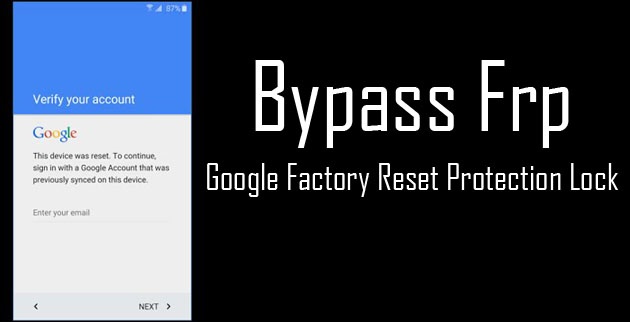
Bypass Factory Reset Protection on any Android device

Next Post
Bypass Factory Reset Protection on any Android device

Bypass Factory Reset Protection on any Android device

Leave a Reply Cancel reply

Your email address will not be published. Required fields are marked *

  • Privacy Policy
  • Terms & Conditions
  • About
  • Contact

Copyright by 4smartphones.com © 2026

Welcome Back!

Login to your account below

Forgotten Password?

Retrieve your password

Please enter your username or email address to reset your password.

Log In

Add New Playlist

No Result
View All Result
  • Home
  • Reviews
  • Tutorials
    • Samsung
      • Galaxy S3 I9300
      • Galaxy S4 I9500
      • Galaxy S4 I9505
      • Galaxy S5 SM-G900
      • Gear S
      • Galaxy Alpha SM-G850
      • Galaxy A3 A300
      • Galaxy A5 A500
      • Galaxy A7 A700
      • Galaxy Note 3 Neo N7505
      • Galaxy Note 3 N9005
      • Galaxy Note 5 SM-N920
      • Galaxy Note 7 N930
      • Galaxy Tab A 9.7
      • Galaxy S6 SM-G920F
      • Galaxy S6 Edge SM-G925F
      • Galaxy J5 J500
      • Galaxy J7 J700
      • Galaxy S7 SM-G930
      • Galaxy S7 Edge SM-G935
    • Meizu
      • PRO 5
    • Nexus
      • Nexus 5
      • Nexus 5X
      • Nexus 6
      • Nexus 6P
    • Huawei
      • P8
      • P8 Lite
      • P9 Lite
    • Xiaomi
      • Mi5
      • Mi5 Plus
    • iPhone
      • iPhone 4S
      • iPhone SE
      • iPhone 5
      • iPhone 5C
      • iPhone 5S
      • iPhone 6
      • iPhone 6 Plus
      • iPhone 6S
      • iPhone 6S Plus
      • iPad Mini 1
      • iPad Mini 2
      • iPad 4
    • OnePlus
      • OnePlus 3
    • Sony
      • Xperia E4/E4G
      • Xperia Z3
      • Xperia Z4 Tablet
      • Xperia Z5
    • LG
      • LG G3
      • LG G4
      • LG G5
    • Letv
      • 1s
      • Le 2
      • Le 2 Pro
    • HTC
      • One M8
      • One M9
      • 10
    • Uhans
      • U100
    • BlackBerry 10
  • Apps
    • Communication
    • Education
    • Finance
    • GPS
    • Photo & Video
    • Music & Audio
    • Personalization
    • Sports
    • Tools
    • Weather
  • Games
    • Action
    • Adventure
    • Arcade
    • Casino
    • Horror
    • Puzzle
    • Racing
    • RPG
    • Shooter
    • Simulation
    • Sports
  • Android OS
  • iOS
    • 7
    • 8
    • 9
    • 10
  • Ubuntu OS

Copyright by 4smartphones.com © 2026