4smartphones.com
  • Home
  • Reviews
    Xiaomi 17 Pro and Pro Max

    Xiaomi 17 Pro Max Review: Rear Screen, Cameras, Price

    OPPO revealed first rollable Android phone

    OPPO revealed first rollable Android phone

    All the things you should know about iPhone 12 & iPhone 12 Pro

    All the things you should know about iPhone 12 & iPhone 12 Pro

    LG Wing

    LG “Wing” – smartphone with rotatable display

    2019: First foldable smartphones

    2019: First foldable smartphones

    2018: Google makes artificial intelligence available on smartphone

    2018: Google makes artificial intelligence available on smartphone

    2017: More than 2 billion active Android devices per month

    2017: More than 2 billion active Android devices per month

    2016: Google’s first Pixel phone and the exploding Galaxy Note 7

    2016: Google’s first Pixel phone and the exploding Galaxy Note 7

  • Tutorials
    • Samsung
      • Galaxy S3 I9300
      • Galaxy S4 I9500
      • Galaxy S4 I9505
      • Galaxy S5 SM-G900
      • Gear S
      • Galaxy Alpha SM-G850
      • Galaxy A3 A300
      • Galaxy A5 A500
      • Galaxy A7 A700
      • Galaxy Note 3 Neo N7505
      • Galaxy Note 3 N9005
      • Galaxy Note 5 SM-N920
      • Galaxy Note 7 N930
      • Galaxy Tab A 9.7
      • Galaxy S6 SM-G920F
      • Galaxy S6 Edge SM-G925F
      • Galaxy J5 J500
      • Galaxy J7 J700
      • Galaxy S7 SM-G930
      • Galaxy S7 Edge SM-G935
    • Meizu
      • PRO 5
    • Nexus
      • Nexus 5
      • Nexus 5X
      • Nexus 6
      • Nexus 6P
    • Huawei
      • P8
      • P8 Lite
      • P9 Lite
    • Xiaomi
      • Mi5
      • Mi5 Plus
    • iPhone
      • iPhone 4S
      • iPhone SE
      • iPhone 5
      • iPhone 5C
      • iPhone 5S
      • iPhone 6
      • iPhone 6 Plus
      • iPhone 6S
      • iPhone 6S Plus
      • iPad Mini 1
      • iPad Mini 2
      • iPad 4
    • OnePlus
      • OnePlus 3
    • Sony
      • Xperia E4/E4G
      • Xperia Z3
      • Xperia Z4 Tablet
      • Xperia Z5
    • LG
      • LG G3
      • LG G4
      • LG G5
    • Letv
      • 1s
      • Le 2
      • Le 2 Pro
    • HTC
      • One M8
      • One M9
      • 10
    • Uhans
      • U100
    • BlackBerry 10
  • Apps
    • Communication
    • Education
    • Finance
    • GPS
    • Photo & Video
    • Music & Audio
    • Personalization
    • Sports
    • Tools
    • Weather
  • Games
    • Action
    • Adventure
    • Arcade
    • Casino
    • Horror
    • Puzzle
    • Racing
    • RPG
    • Shooter
    • Simulation
    • Sports
  • Android OS
  • iOS
    • 7
    • 8
    • 9
    • 10
  • Ubuntu OS
No Result
View All Result
Subscribe
  • Home
  • Reviews
    Xiaomi 17 Pro and Pro Max

    Xiaomi 17 Pro Max Review: Rear Screen, Cameras, Price

    OPPO revealed first rollable Android phone

    OPPO revealed first rollable Android phone

    All the things you should know about iPhone 12 & iPhone 12 Pro

    All the things you should know about iPhone 12 & iPhone 12 Pro

    LG Wing

    LG “Wing” – smartphone with rotatable display

    2019: First foldable smartphones

    2019: First foldable smartphones

    2018: Google makes artificial intelligence available on smartphone

    2018: Google makes artificial intelligence available on smartphone

    2017: More than 2 billion active Android devices per month

    2017: More than 2 billion active Android devices per month

    2016: Google’s first Pixel phone and the exploding Galaxy Note 7

    2016: Google’s first Pixel phone and the exploding Galaxy Note 7

  • Tutorials
    • Samsung
      • Galaxy S3 I9300
      • Galaxy S4 I9500
      • Galaxy S4 I9505
      • Galaxy S5 SM-G900
      • Gear S
      • Galaxy Alpha SM-G850
      • Galaxy A3 A300
      • Galaxy A5 A500
      • Galaxy A7 A700
      • Galaxy Note 3 Neo N7505
      • Galaxy Note 3 N9005
      • Galaxy Note 5 SM-N920
      • Galaxy Note 7 N930
      • Galaxy Tab A 9.7
      • Galaxy S6 SM-G920F
      • Galaxy S6 Edge SM-G925F
      • Galaxy J5 J500
      • Galaxy J7 J700
      • Galaxy S7 SM-G930
      • Galaxy S7 Edge SM-G935
    • Meizu
      • PRO 5
    • Nexus
      • Nexus 5
      • Nexus 5X
      • Nexus 6
      • Nexus 6P
    • Huawei
      • P8
      • P8 Lite
      • P9 Lite
    • Xiaomi
      • Mi5
      • Mi5 Plus
    • iPhone
      • iPhone 4S
      • iPhone SE
      • iPhone 5
      • iPhone 5C
      • iPhone 5S
      • iPhone 6
      • iPhone 6 Plus
      • iPhone 6S
      • iPhone 6S Plus
      • iPad Mini 1
      • iPad Mini 2
      • iPad 4
    • OnePlus
      • OnePlus 3
    • Sony
      • Xperia E4/E4G
      • Xperia Z3
      • Xperia Z4 Tablet
      • Xperia Z5
    • LG
      • LG G3
      • LG G4
      • LG G5
    • Letv
      • 1s
      • Le 2
      • Le 2 Pro
    • HTC
      • One M8
      • One M9
      • 10
    • Uhans
      • U100
    • BlackBerry 10
  • Apps
    • Communication
    • Education
    • Finance
    • GPS
    • Photo & Video
    • Music & Audio
    • Personalization
    • Sports
    • Tools
    • Weather
  • Games
    • Action
    • Adventure
    • Arcade
    • Casino
    • Horror
    • Puzzle
    • Racing
    • RPG
    • Shooter
    • Simulation
    • Sports
  • Android OS
  • iOS
    • 7
    • 8
    • 9
    • 10
  • Ubuntu OS
No Result
View All Result
4smartphones.com
Home Android

Get rid of OTA software update notification

in Android, Tutorials
Reading Time: 2 mins read
0
2
Get rid of OTA software update notification
4
VIEWS
Share on FacebookShare on XShare on Linkedin

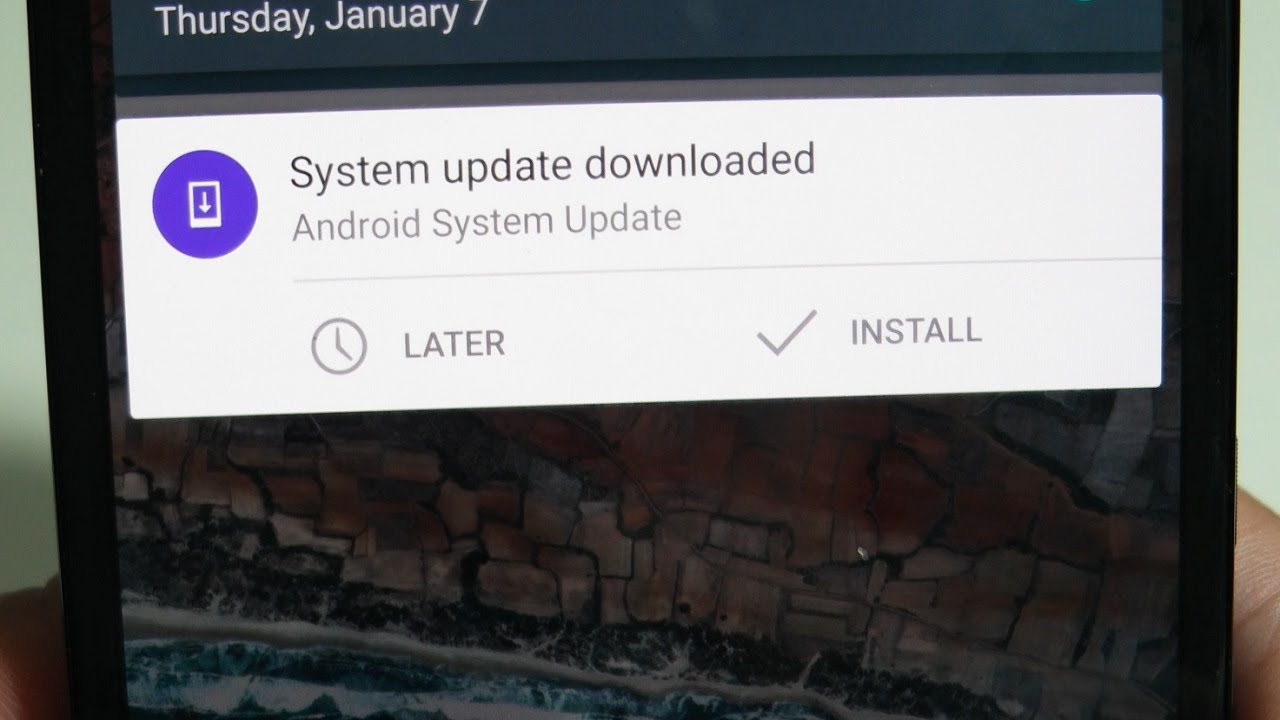
Most of Android users gets tired of annoying software OTA update notification, which simply just don’t disappear and there’s no easy way to remove it as any other app ordinary notification. In this case you have two options to choose. Click on “Install” and get Android software updated or tap on “Later” button which doesn’t help much, because the same notification immediately reappears.
That’s why we made couple tutorials which you should follow.

Disable until reboot

One of the fastest way to turn off update notification is to force stop Google Play Services. It’s a temporary solution and it works until you reboot your device.
To make it happen, go to Settings/Apps/All and look for Google Play Services. Tap on Google Play Services and choose Force stop.

Unchecking notifications feature

First you should try to click and hold on the update notification and then select App info, which will take you to Google Play Services for that update notification. Then uncheck the notification option there and reboot your Android.
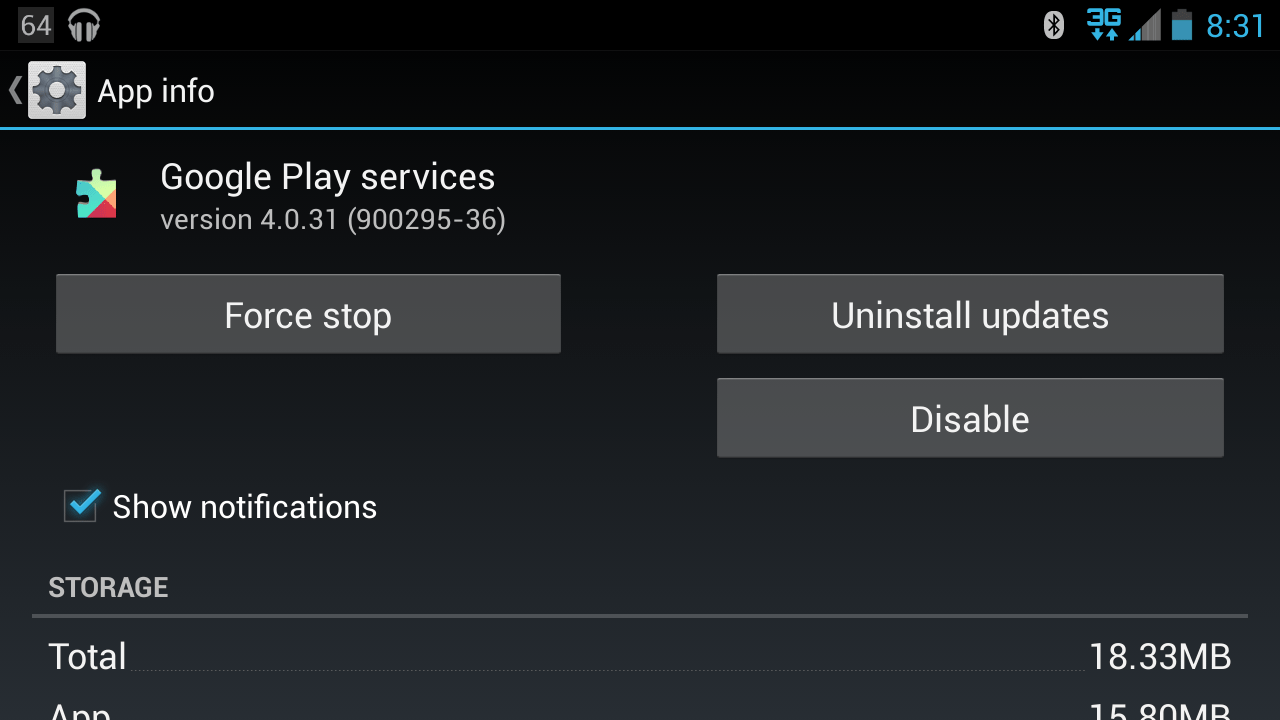
Google Play Services

If you can’t get to App info, then go to Settings/Apps/All and look for Google Play Services. Tap on Google Play Services and uncheck Allow notifications. Don’t forget to reboot your Android.

Using Disable Service app
(Android must be rooted)

  1. Download Disable Service app straight to device and install it.
  2. Launch app and look for System Update Service.
  3. Uncheck System Update Service and grant Superuser permission.
  4. Reboot your device.

Previous Post

Disable notifications on Android

Next Post

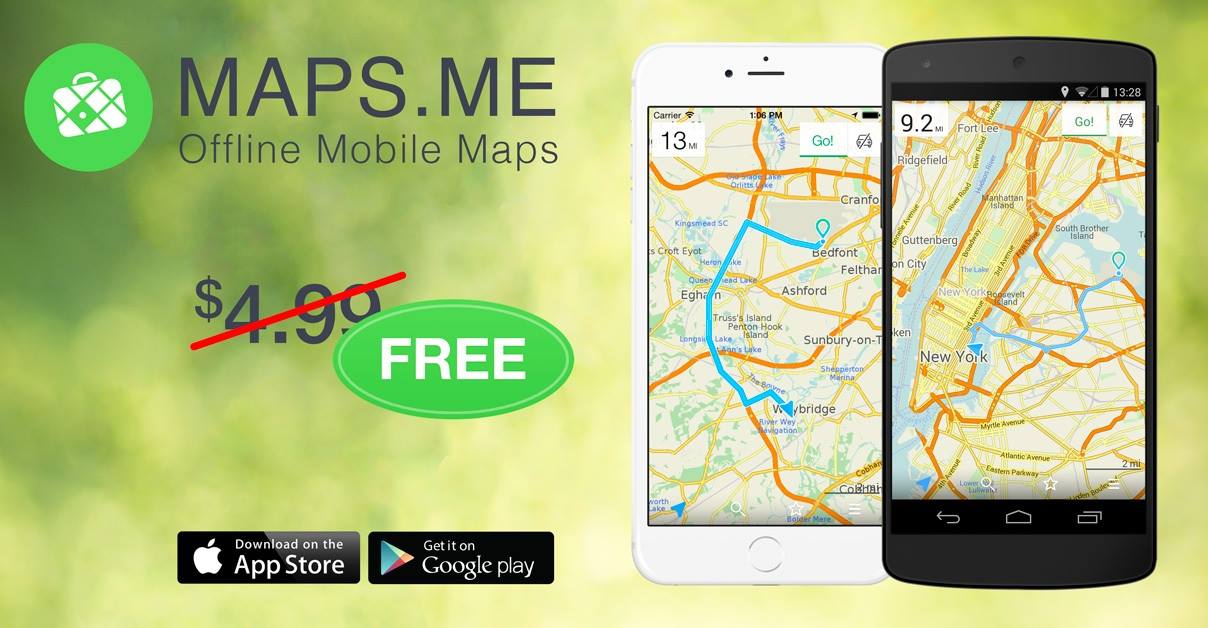
MAPS.ME

Next Post
MAPS.ME

MAPS.ME

Comments 2

  1. De says:
    10 years ago

    root for samsung galaxy note 5 SM-N920A

    Reply
  2. Julian says:
    10 years ago

    Samsung Galaxy S7 Edge

    Reply

Leave a Reply Cancel reply

Your email address will not be published. Required fields are marked *

  • About
  • Contact
  • Privacy Policy
  • Terms & Conditions

4smartphones.com © 2026   All rights reserved.

No Result
View All Result
  • Home
  • Reviews
  • Tutorials
    • Samsung
      • Galaxy S3 I9300
      • Galaxy S4 I9500
      • Galaxy S4 I9505
      • Galaxy S5 SM-G900
      • Gear S
      • Galaxy Alpha SM-G850
      • Galaxy A3 A300
      • Galaxy A5 A500
      • Galaxy A7 A700
      • Galaxy Note 3 Neo N7505
      • Galaxy Note 3 N9005
      • Galaxy Note 5 SM-N920
      • Galaxy Note 7 N930
      • Galaxy Tab A 9.7
      • Galaxy S6 SM-G920F
      • Galaxy S6 Edge SM-G925F
      • Galaxy J5 J500
      • Galaxy J7 J700
      • Galaxy S7 SM-G930
      • Galaxy S7 Edge SM-G935
    • Meizu
      • PRO 5
    • Nexus
      • Nexus 5
      • Nexus 5X
      • Nexus 6
      • Nexus 6P
    • Huawei
      • P8
      • P8 Lite
      • P9 Lite
    • Xiaomi
      • Mi5
      • Mi5 Plus
    • iPhone
      • iPhone 4S
      • iPhone SE
      • iPhone 5
      • iPhone 5C
      • iPhone 5S
      • iPhone 6
      • iPhone 6 Plus
      • iPhone 6S
      • iPhone 6S Plus
      • iPad Mini 1
      • iPad Mini 2
      • iPad 4
    • OnePlus
      • OnePlus 3
    • Sony
      • Xperia E4/E4G
      • Xperia Z3
      • Xperia Z4 Tablet
      • Xperia Z5
    • LG
      • LG G3
      • LG G4
      • LG G5
    • Letv
      • 1s
      • Le 2
      • Le 2 Pro
    • HTC
      • One M8
      • One M9
      • 10
    • Uhans
      • U100
    • BlackBerry 10
  • Apps
    • Communication
    • Education
    • Finance
    • GPS
    • Photo & Video
    • Music & Audio
    • Personalization
    • Sports
    • Tools
    • Weather
  • Games
    • Action
    • Adventure
    • Arcade
    • Casino
    • Horror
    • Puzzle
    • Racing
    • RPG
    • Shooter
    • Simulation
    • Sports
  • Android OS
  • iOS
    • 7
    • 8
    • 9
    • 10
  • Ubuntu OS

4smartphones.com © 2026   All rights reserved.

Welcome Back!

Login to your account below

Forgotten Password?

Retrieve your password

Please enter your username or email address to reset your password.

Log In

Add New Playlist